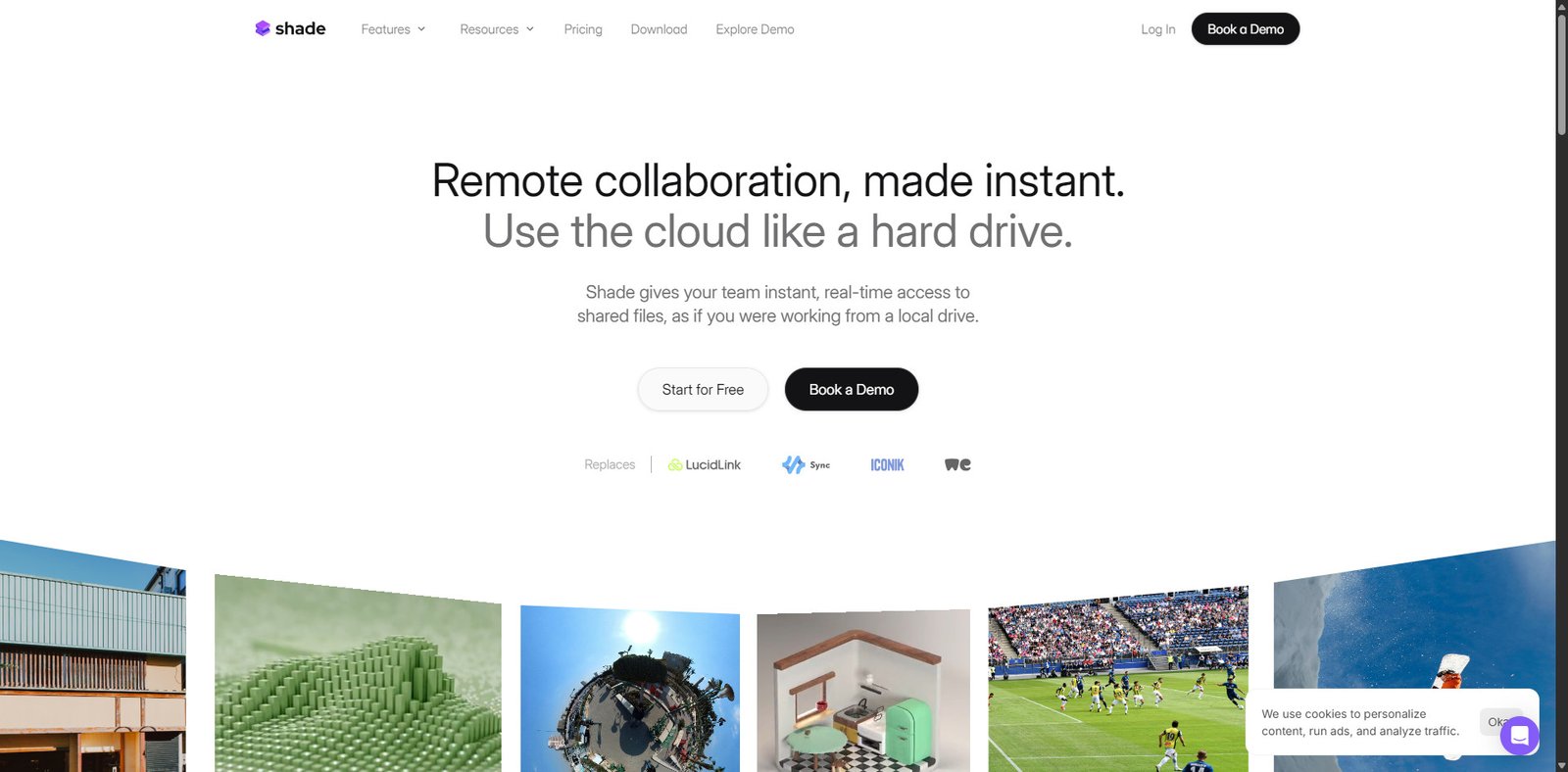
Shade Review: Intelligent Cloud Storage for Post-Production Workflows
Shade is a cloud-based storage and collaboration platform designed specifically for post-production teams. It combines file streaming, review and approval tools, automated metadata tagging, and AI-powered search into one unified workspace. The platform aims to simplify complex media workflows for studios, editors, and creative production teams.
Shade is an intelligent cloud storage platform built to streamline modern post-production workflows. Instead of relying on multiple disconnected tools for storage, file sharing, and review, Shade consolidates these functions into a single environment.
The platform focuses heavily on media production teams that work with large video and creative assets. With built-in file streaming, AI-powered search, automated metadata generation, and collaboration tools, Shade helps teams access, review, and manage files faster without complex infrastructure.
For video studios, production houses, and distributed creative teams, Shade aims to reduce workflow friction while improving collaboration between editors, producers, and stakeholders.
Rating Snapshot
Category
Score
Features
4.5 / 5
Ease of Use
4.3 / 5
Media Workflow Optimization
4.6 / 5
Collaboration Tools
4.4 / 5
Value for Production Teams
4.2 / 5
Overall Score
4.4 / 5
Key Features
Intelligent Cloud Storage
Shade acts as a centralized storage hub designed for large creative assets and production files.
Core capabilities include:
Secure cloud storage for video and media files
High-speed streaming without full downloads
Centralized asset management
Scalable storage infrastructure
This eliminates the need for multiple storage systems across post-production pipelines.
File Streaming for Media Workflows
Shade allows teams to stream media files directly from the cloud rather than downloading large files.
Benefits include:
Faster access to video assets
Reduced local storage requirements
Real-time file access for remote teams
Smooth playback for high-resolution content
This feature is particularly useful for editors and producers working remotely.
Built-In Review and Approval System
Shade integrates a collaborative review workflow directly into the platform.
Teams can:
Share review links with stakeholders
Leave timestamped comments on videos
Approve or request changes in context
Track revision feedback in one place
This removes the need for separate review tools often used in post-production pipelines.
Automated Metadata Generation
Managing large volumes of media files can be difficult without proper tagging.
Shade solves this by automatically generating metadata using AI.
Key functions include:
Auto-tagging media content
Metadata enrichment for faster indexing
Organized asset categorization
Improved content discovery
This helps teams quickly locate files even in massive asset libraries.
AI-Powered Search
Shade includes AI-driven search tools that make finding assets significantly easier.
Instead of manually browsing folders, users can:
Search using keywords or content descriptors
Find files based on metadata or visual context
Locate clips instantly across the entire library
Filter results using intelligent indexing
This reduces time spent searching through complex project archives.
Common Use Cases
Shade is commonly used by:
Video production studios
Post-production teams
Film editors and colorists
Marketing video teams
Creative agencies managing large media libraries
Distributed production teams working remotely
These workflows benefit from centralized storage and faster collaboration.
Pros and Cons
Pros
Cons
Combines storage, streaming, and collaboration tools
Designed mainly for media production teams
AI-powered search improves asset discovery
May be overkill for small creative projects
Built-in review and approval workflow
Pricing may scale with storage usage
Handles large media files efficiently
Requires reliable internet for streaming
Reduces reliance on multiple post-production tools
Learning curve for teams migrating from traditional storage
Pricing Snapshot
Plan
Best For
Pricing
Starter
Small production teams
Custom pricing
Professional
Studios and agencies
Custom pricing
Enterprise
Large media organizations
Custom pricing
Note: Pricing is typically customized based on storage requirements, team size, and workflow needs.
Shade vs Alternatives
Feature
Shade
Frame.io
Dropbox
Cloud Storage
Yes
Limited
Yes
Media Streaming
Yes
Yes
Limited
Review & Approval
Built-in
Advanced
Basic
AI Search
Yes
Limited
No
Post-Production Focus
Strong
Strong
General storage
Shade differentiates itself by combining intelligent storage, AI search, and collaborative review workflows within one unified platform.
Affiliate / Partner Program
Currently, there is limited public information about an official Shade affiliate program. However, partnerships may exist for creative agencies, post-production studios, and enterprise media organizations.
Organizations interested in partnerships should contact the Shade team directly.
Final Verdict
Shade offers a modern approach to managing post-production workflows in the cloud. By combining file storage, media streaming, AI-powered search, and collaboration tools into one platform, it reduces the complexity of managing creative assets across distributed teams.
For video production companies and studios dealing with large media libraries, Shade can significantly improve asset accessibility and review workflows. The integrated approach helps eliminate the need for multiple tools while improving team collaboration.
Overall, Shade stands out as a powerful cloud storage solution tailored specifically for the needs of modern media production teams.
Frequently Asked Questions
What is Shade?
Shade is a cloud storage platform designed for post-production workflows that combines file storage, streaming, AI search, and collaboration tools.
Who should use Shade?
It is best suited for video production studios, creative agencies, and teams managing large media assets.
Does Shade support video review workflows?
Yes. The platform includes built-in review and approval features with commenting and feedback tools.
How does Shade improve file search?
Shade uses AI-powered metadata and indexing to allow users to quickly find assets across large media libraries.
Is Shade suitable for remote teams?
Yes. The cloud-based architecture allows distributed teams to access, review, and collaborate on files from anywhere.
Share your love
Best Review
“Turning clicks into clients with AI‑supercharged web design & marketing.”
Let’s build your future site ➔
Passionate Web Developer, Freelancer, and Entrepreneur dedicated to creating innovative and user-friendly web solutions. With years of experience in the industry, I specialize in designing and developing websites that not only look great but also perform exceptionally well.