Independent reviews. No paid rankings. No sponsored placements.
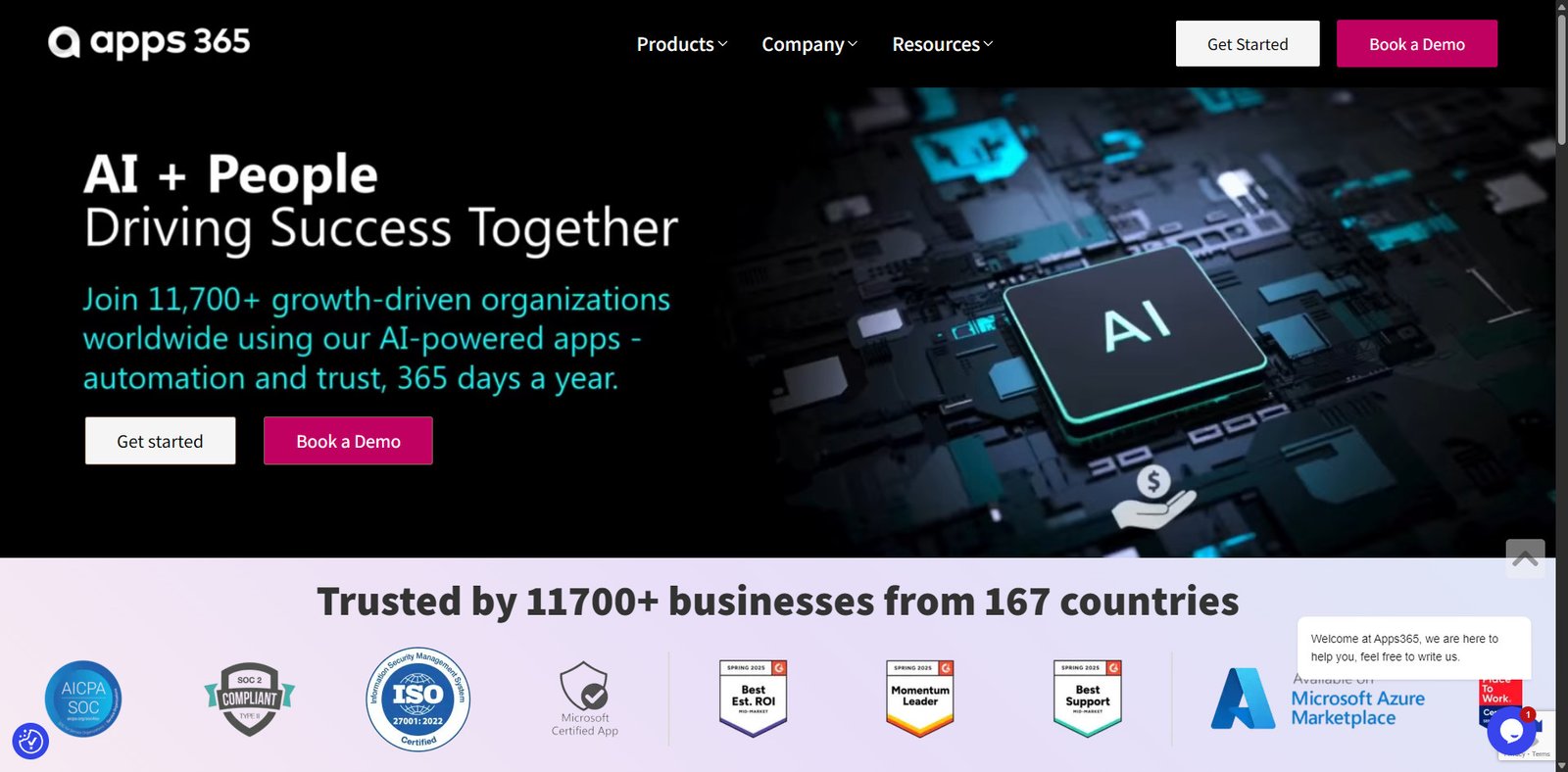

Apps 365 is a growing platform offering a collection of enterprise-ready applications designed to extend the capabilities of Microsoft 365 and SharePoint. Its tools focus on business automation, HR management, contract workflows, service desks, and internal productivity systems.
With more than 11,700+ organizations across 167 countries reportedly using the platform, Apps 365 positions itself as a practical toolkit for companies already invested in the Microsoft ecosystem. The apps integrate directly with services like Azure, SharePoint, and Teams, making deployment simple for IT teams while keeping workflows centralized.
Rating Snapshot / Score Summary
| Category | Rating |
|---|---|
| Ease of Use | ⭐⭐⭐⭐☆ (4.4/5) |
| Features | ⭐⭐⭐⭐☆ (4.5/5) |
| Integration with Microsoft Ecosystem | ⭐⭐⭐⭐⭐ (4.8/5) |
| Customization | ⭐⭐⭐⭐☆ (4.3/5) |
| Value for Business Teams | ⭐⭐⭐⭐☆ (4.4/5) |
Overall Score: 4.5 / 5
Apps 365 performs best for companies already running Microsoft infrastructure and looking for plug-and-play automation tools.
Video Overview
Key Features
Microsoft 365 Native Integration
Apps 365 is designed to work directly with the Microsoft ecosystem.
Key integrations include:
- Microsoft SharePoint
- Microsoft Teams
- Azure Marketplace
- Microsoft AppSource
- Microsoft authentication and security systems
This makes deployment easier because companies do not need to migrate away from their existing infrastructure.
HR Management Suite (HRMS 365)
The HRMS 365 suite provides a complete set of tools for HR departments.
Key modules include:
- Recruitment Management 365 – Manage job postings and candidate pipelines
- Employee Onboarding 365 – Structured onboarding workflows
- Employee Directory 365 – Centralized employee information system
- Performance Management 365 – Productivity and evaluation tools
- Time Off Manager 365 – Leave tracking and approvals
- Expense 365 – Expense claims and reporting
These tools are designed to replace fragmented HR processes with centralized automation.
Business Workflow Apps
Apps 365 also provides several business automation tools:
- CLM 365 Contract Management
Handles approvals, contracts, and document workflows. - Helpdesk 365
A customizable service desk for internal support teams. - Task 365
Task management integrated with Microsoft 365 workflows. - Timesheet 365
Track project hours and team productivity. - Asset 365
Manage IT assets and inventory with configurable workflows. - Civic 365
Designed for municipalities to manage non-emergency reports and public feedback.
Enterprise Security & Compliance
Security is a core focus of the Apps 365 ecosystem.
The platform emphasizes:
- SOC 2 Type II compliance
- ISO 27001 security standards
- Microsoft Azure hosting
- Government cloud compatibility (GCC and GCC High)
This makes the platform viable for government agencies, healthcare institutions, and enterprise organizations.
Deployment Flexibility
Apps 365 supports multiple deployment environments:
- Microsoft Teams
- Outlook
- SharePoint
- Azure Marketplace
This allows businesses to choose the environment that fits their workflow best.
Common Use Cases
Organizations typically use Apps 365 for:
- HR automation and employee lifecycle management
- Internal helpdesk systems
- Contract approval workflows
- Task and project tracking
- Asset and inventory management
- Government service request systems
- Employee time tracking and reporting
It is particularly useful for Microsoft-first organizations that want to extend the functionality of their existing tools.
Pros and Cons
| Pros | Cons |
|---|---|
| Deep integration with Microsoft 365 ecosystem | Best suited primarily for Microsoft-based organizations |
| Large suite of specialized business apps | Some modules may require configuration |
| Strong compliance and enterprise security | Pricing transparency limited on website |
| HRMS and helpdesk solutions in one platform | Smaller community compared to major SaaS competitors |
| Available via Microsoft AppSource and Azure Marketplace | Feature overlap possible between modules |
Pricing Snapshot
Apps 365 pricing varies by module and deployment environment.
| Plan Type | Pricing Model | Best For |
|---|---|---|
| Free Trial | 14-day trial | Testing platform features |
| Module-Based Plans | Per-app subscription | Businesses needing specific tools |
| Enterprise Licensing | Custom pricing | Large organizations and government |
Note: Exact pricing typically requires contacting the sales team or booking a demo.
Apps 365 vs Alternatives
| Platform | Best For | Deployment | Strength |
|---|---|---|---|
| Apps 365 | Microsoft-based companies | Microsoft 365 | Deep SharePoint integration |
| ServiceNow | Enterprise IT service management | Cloud | Advanced ITSM capabilities |
| Monday.com | Project management teams | Web SaaS | Easy workflows |
| Zoho People | HR management | Cloud | Affordable HR tools |
| Freshservice | IT helpdesk teams | SaaS | Simple ticketing system |
Apps 365 stands out for organizations heavily invested in Microsoft infrastructure.
Affiliate / Partner Program
Apps 365 offers partnership opportunities for:
- Microsoft partners
- Implementation consultants
- Technology resellers
- Enterprise solution providers
Partners can promote Apps 365 apps, integrate them into existing client systems, and deliver consulting or deployment services.
Final Verdict
Apps 365 is a strong choice for businesses that rely heavily on the Microsoft ecosystem and want to extend its capabilities through specialized automation tools.
Instead of using multiple disconnected SaaS platforms, companies can deploy Apps 365 modules directly within Microsoft environments like SharePoint, Teams, and Azure. This makes adoption easier for employees while improving workflow efficiency.
While it may not be ideal for organizations outside the Microsoft ecosystem, it provides excellent value for Microsoft-centric businesses, government agencies, and enterprise teams looking to automate internal processes.
Overall, Apps 365 is a powerful automation and HR platform with enterprise-grade security and flexible deployment options.
Frequently Asked Questions
Is Apps 365 part of Microsoft?
No. Apps 365 is an independent software provider, but its apps are built specifically to integrate with Microsoft 365 and SharePoint environments.
Does Apps 365 offer a free trial?
Yes. The platform offers a 14-day free trial without requiring credit card details.
What industries use Apps 365?
Apps 365 is used by:
- Government organizations
- Healthcare institutions
- Enterprise companies
- IT teams
- HR departments
Can Apps 365 integrate with Microsoft Teams?
Yes. Many Apps 365 tools can be deployed directly within Microsoft Teams, enabling collaboration and workflow automation.
