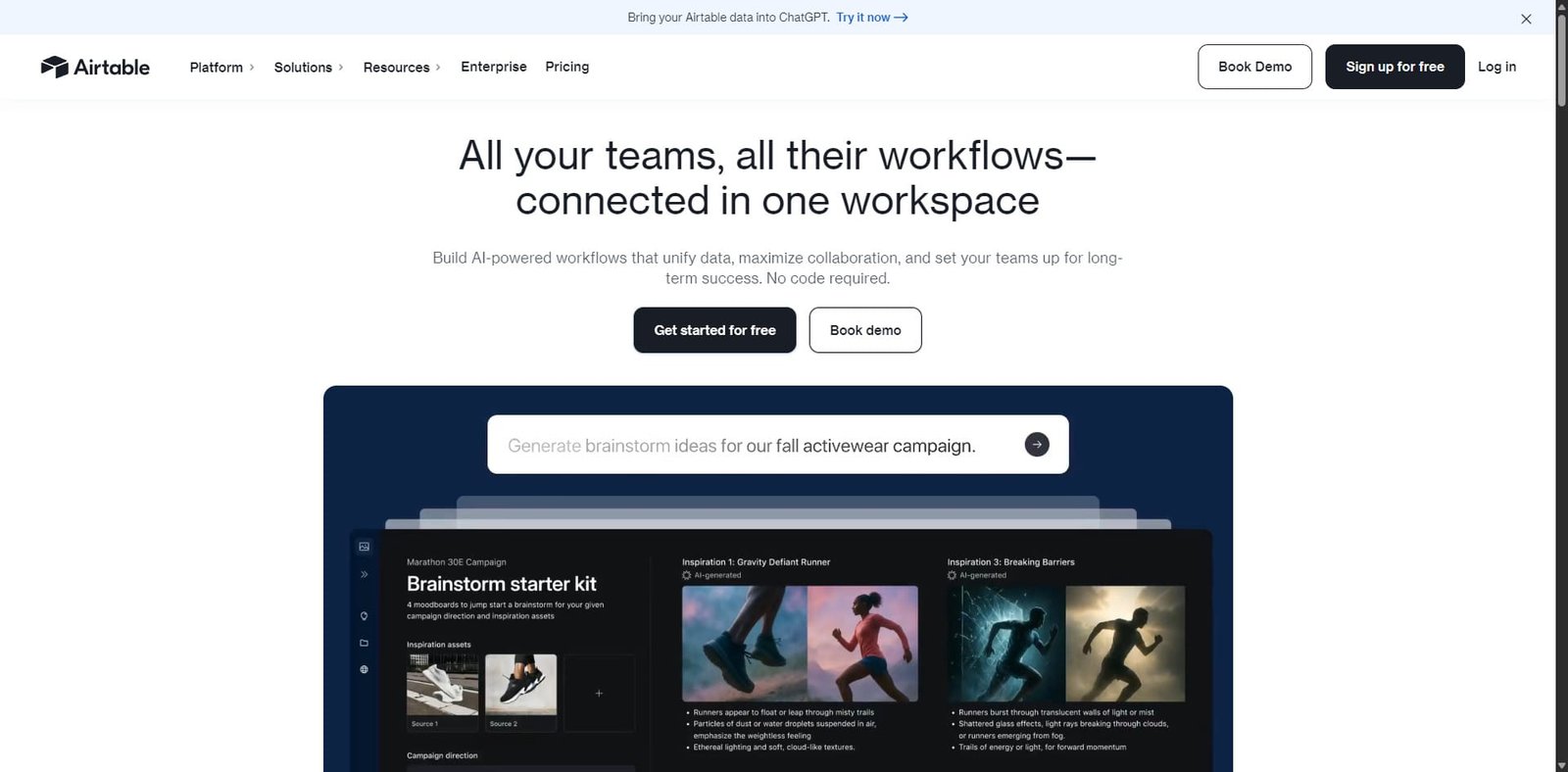
Airtable Review: The Fastest Way to Build AI-Powered Apps Without Coding
Airtable is a flexible cloud platform that combines spreadsheets, databases, and automation into a single workspace. With its growing AI capabilities, teams can now build AI-powered apps, automate workflows, and manage complex projects without traditional coding. For organizations that want to turn data into custom tools quickly, Airtable offers one of the fastest and most user-friendly platforms available.
Airtable is a powerful no-code/low-code platform designed to help teams build custom applications using structured data. It blends the simplicity of spreadsheets with the power of relational databases, allowing users to create workflows, dashboards, and internal tools quickly.
Originally launched as a database-style spreadsheet platform, Airtable has evolved into a complete app-building ecosystem. With built-in automation, integrations, and AI tools, businesses can now build intelligent apps that analyze data, generate content, and streamline operations.
From startups to enterprise teams, Airtable is widely used for project management, content planning, product development, and internal operations.
Rating Snapshot / Score Summary
Category
Score
Ease of Use
4.7 / 5
Flexibility & Customization
4.8 / 5
Automation & AI
4.6 / 5
Integrations
4.5 / 5
Pricing Value
4.2 / 5
Overall Rating
4.6 / 5
Summary: Airtable excels at turning structured data into powerful workflows and AI-powered internal tools without requiring coding knowledge.
Embedded Video
(Placeholder: Insert Airtable product demo or tutorial video here when publishing.)
Key Features
1. No-Code App Builder
Airtable allows users to build custom business applications without programming.
Core capabilities include:
Relational database structure
Drag-and-drop interface builder
customizable dashboards
linked records across tables
dynamic forms for data collection
This enables teams to create internal tools such as CRMs, inventory systems, project trackers, or marketing dashboards in minutes.
2. AI-Powered Workflows
Airtable has introduced AI features that turn structured data into intelligent applications.
Key AI capabilities include:
AI-generated summaries
automated content generation
data classification and tagging
workflow automation using AI prompts
AI-powered insights within tables
These features help teams automate repetitive tasks and extract insights directly from their data.
3. Advanced Automation Engine
Automation is one of Airtable’s strongest features.
Users can automate workflows such as:
sending notifications
updating records automatically
syncing data between tables
triggering actions when conditions are met
connecting external tools via webhooks
Automation reduces manual work and keeps teams aligned across projects.
4. Multiple Data Views
Airtable allows the same data to be viewed in different formats.
Available views include:
Grid view (spreadsheet-style)
Kanban board
Calendar view
Gallery view
Timeline / Gantt charts
This flexibility makes Airtable suitable for both operational workflows and project management.
5. Integrations & API Access
Airtable integrates with hundreds of popular tools, enabling teams to connect their workflows with other platforms.
Popular integrations include:
Slack
Google Workspace
Zapier
Salesforce
Jira
Notion
GitHub
Developers can also use Airtable’s API to build custom integrations or external applications.
Common Use Cases
Airtable supports a wide range of business workflows.
Common use cases include:
Project management systems
Content calendars for marketing teams
Product roadmaps
Inventory management
CRM databases
Editorial workflows
Internal dashboards
AI-powered data analysis tools
Because of its flexibility, Airtable is often used as the backbone for custom operational software.
Pros and Cons
Pros
Cons
Extremely flexible database-style workspace
Pricing increases quickly for large teams
Powerful automation and AI capabilities
Learning relational data structure can take time
Multiple data views (Kanban, calendar, gallery)
Some advanced features require higher-tier plans
Large integration ecosystem
Can become complex with large datasets
No-code app building with strong customization
Offline functionality is limited
Pricing Snapshot
Plan
Price
Best For
Key Features
Free
$0
Individuals / small projects
Basic database features, limited records
Team
$20 / user / month
Small teams
Advanced views, automation, extensions
Business
$45 / user / month
Growing companies
Advanced automation, admin controls
Enterprise
Custom pricing
Large organizations
security controls, dedicated support
Pricing may vary depending on workspace size and usage.
Airtable vs Alternatives
Feature
Airtable
Notion
Monday.com
Smartsheet
Database Functionality
Excellent
Moderate
Limited
Strong
App Building
Very Strong
Moderate
Moderate
Moderate
Automation
Strong
Moderate
Strong
Strong
AI Capabilities
Growing rapidly
Basic
Moderate
Limited
Ease of Use
Easy
Easy
Easy
Moderate
Bottom line: Airtable stands out for its balance between database power and no-code application building.
Affiliate / Partner Program
Airtable offers a partner ecosystem that includes:
implementation partners
consulting partners
technology integrations
enterprise solution providers
Partners help organizations deploy Airtable for complex operational workflows and large-scale projects.
Final Verdict
Airtable has evolved from a spreadsheet-database hybrid into a full platform for building AI-powered business applications. Its flexibility, automation features, and user-friendly interface make it a powerful tool for teams that want to build custom software without developers.
While pricing can increase for large teams, the platform’s capabilities often replace multiple tools—making it a strong value for businesses that rely heavily on data workflows.
Overall Rating: 4.6 / 5
Best suited for:
startups
product teams
marketing teams
operations teams
companies building internal tools
Frequently Asked Questions
What is Airtable used for?
Airtable is used to create custom databases, project management systems, internal tools, and automated workflows.
Does Airtable support AI features?
Yes. Airtable includes AI capabilities for generating summaries, automating tasks, and analyzing structured data.
Is Airtable a database or a spreadsheet?
It combines both. Airtable looks like a spreadsheet but functions as a relational database.
Can Airtable replace project management tools?
Yes. Many teams use Airtable instead of tools like Trello, Asana, or Monday.com because of its flexibility.
Does Airtable require coding?
No. Most features are no-code, although developers can extend functionality using Airtable’s API.
Share your love
Best Review
“Turning clicks into clients with AI‑supercharged web design & marketing.”
Let’s build your future site ➔
Passionate Web Developer, Freelancer, and Entrepreneur dedicated to creating innovative and user-friendly web solutions. With years of experience in the industry, I specialize in designing and developing websites that not only look great but also perform exceptionally well.