Independent reviews. No paid rankings. No sponsored placements.

Overview
Cable clutter is one of the most overlooked aspects of a workspace. Tangled wires not only reduce aesthetic appeal but also create practical issues—dust accumulation, overheating risks, and difficulty troubleshooting devices.
This guide provides a structured, step-by-step approach to managing cables behind your desk, suitable for home offices, gaming setups, and professional workstations. The goal is a setup that is clean, accessible, safe, and scalable.
Why Proper Cable Management Matters
Key Benefits
- Improved productivity: Easier access and fewer distractions
- Better airflow: Reduces overheating risks
- Enhanced safety: Minimizes tripping and electrical hazards
- Professional aesthetics: Clean setups improve workspace quality
- Simplified maintenance: Faster troubleshooting and upgrades
Step 1: Audit Your Current Setup
Before organizing, identify what you’re working with.
What to Check
- Number of devices (PC, monitor, speakers, etc.)
- Cable types (power, HDMI, USB, Ethernet)
- Power source locations
- Cable lengths and condition
Categorize Your Cables
| Category | Examples |
|---|---|
| Power | PSU cables, adapters |
| Data | USB, HDMI, DisplayPort |
| Network | Ethernet cables |
| Peripheral | Keyboard, mouse, speakers |
Step 2: Declutter and Remove Unnecessary Cables
Cable management starts with elimination.
Actions to Take
- Remove unused chargers and cables
- Replace overly long cables with shorter ones
- Consolidate duplicate connections
- Switch to wireless peripherals where practical
Step 3: Plan Your Cable Routing
A structured routing plan prevents future mess.
Routing Principles
- Shortest path: Avoid excess slack
- Hidden paths: Behind desk or under tabletop
- Separation: Keep power and data cables apart
- Accessibility: Leave room for adjustments
Step 4: Use Essential Cable Management Tools

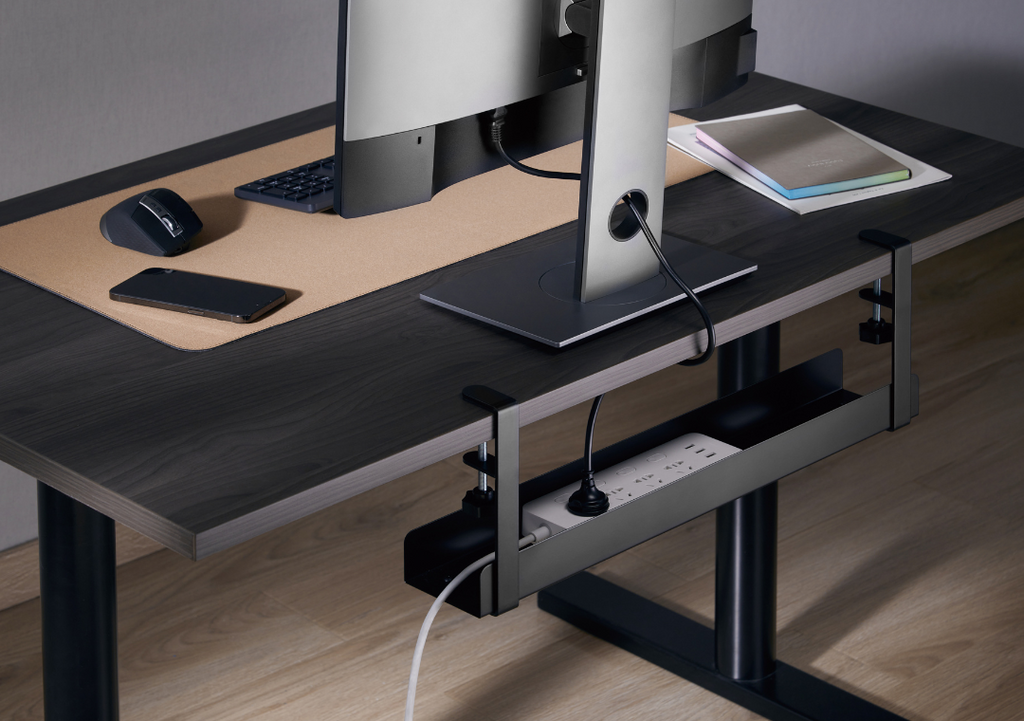
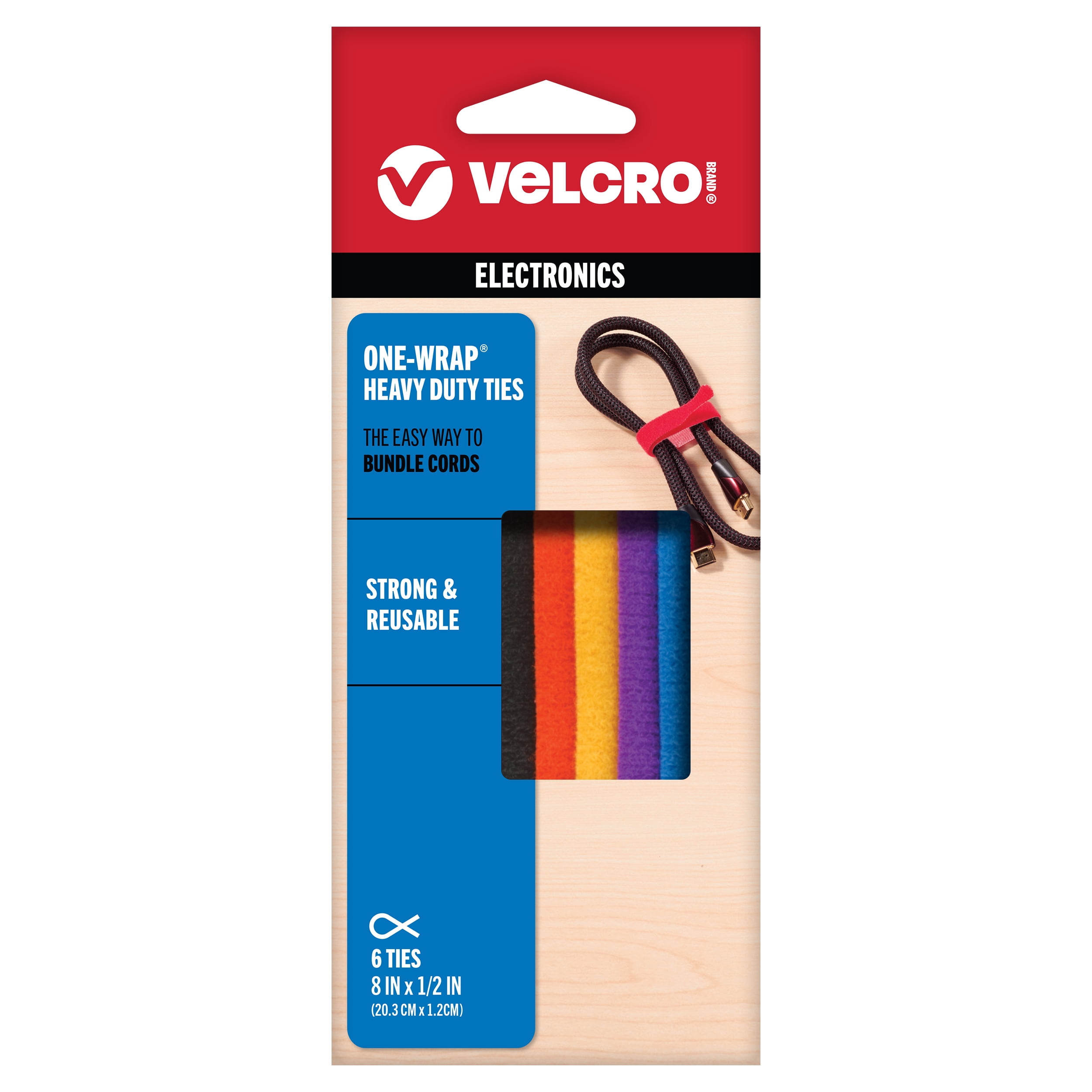

Must-Have Tools
| Tool | Purpose |
|---|---|
| Cable clips | Secure cables along edges |
| Velcro ties | Bundle and organize wires |
| Cable sleeves | Combine multiple cables into one line |
| Cable trays | Hide power strips under desk |
| Adhesive mounts | Route cables without drilling |
Optional Additions
- Cable boxes (hide power strips)
- Raceways (wall-mounted cable channels)
- Label tags (identify cables easily)
Step 5: Mount Your Power Strip Properly
The power strip is the central hub of your cable system.
Best Placement
- Under the desk (mounted)
- Back of desk frame
- Inside a cable tray
Why This Matters
- Reduces visible cable clutter
- Keeps cables off the floor
- Improves safety and accessibility
Step 6: Bundle Cables by Function
Grouping cables improves organization and troubleshooting.
Recommended Grouping
- Power cables together
- Monitor/display cables together
- Peripheral cables together
Best Practices
- Use Velcro ties instead of zip ties (reusable)
- Avoid over-tight bundling (prevents cable damage)
- Leave slight slack for flexibility
Step 7: Route Cables Along Defined Paths
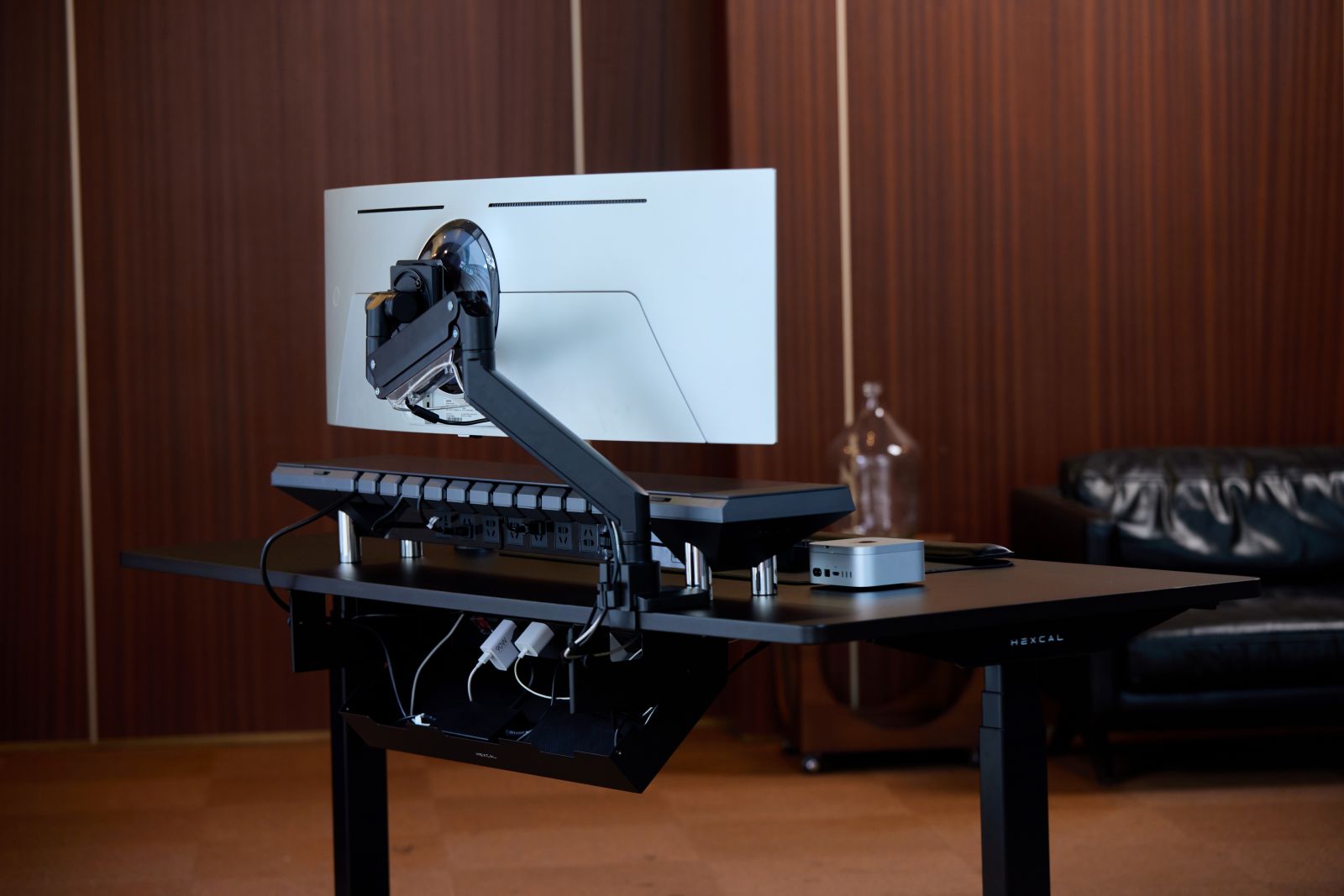


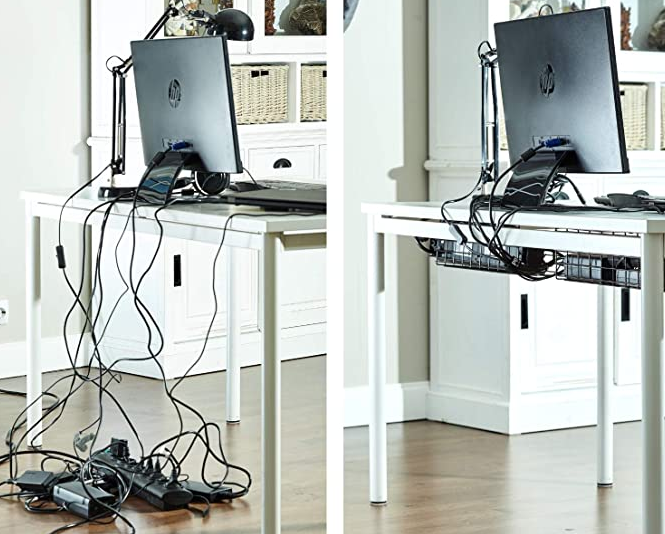
Common Routing Paths
- Along desk edges
- Behind monitor arms
- Under tabletop using trays
- Along legs of the desk
Key Tip
Follow straight lines and right angles for a cleaner look.
Step 8: Label Everything
Labeling is often skipped but highly valuable.
What to Label
- Power adapters
- Monitor cables
- USB hubs
- Extension cords
Benefits
- Faster troubleshooting
- Easier upgrades
- Reduced confusion
Step 9: Manage Excess Cable Length
Extra cable length is a major source of clutter.
Solutions
- Use shorter cables
- Coil excess length neatly
- Store loops inside cable trays or boxes
Avoid
- Letting cables hang freely
- Tight coiling (can damage wires over time)
Step 10: Optimize for Airflow and Safety
Cable placement affects device performance.
Safety Guidelines
- Keep cables away from heat sources
- Avoid blocking ventilation areas
- Prevent cables from touching the floor where possible
- Use surge protectors for sensitive equipment
Step 11: Maintain and Update Regularly
Cable management is not a one-time task.
Monthly Checklist
- Remove unused cables
- Check for wear or damage
- Adjust routing after adding devices
- Clean dust buildup
Cable Management Setup Examples
Minimal Setup (Beginner)
- Cable clips + Velcro ties
- Basic routing behind desk
- No drilling required
Intermediate Setup
- Under-desk cable tray
- Mounted power strip
- Cable sleeves
Advanced Setup
- Fully hidden cables
- Wall raceways
- Custom cable lengths
- Integrated desk solutions
Cost Breakdown (2026)
| Item | Price Range |
|---|---|
| Cable clips | $5–$15 |
| Velcro ties | $5–$20 |
| Cable sleeves | $10–$25 |
| Cable tray | $20–$60 |
| Cable box | $15–$40 |
Estimated Total Setup Cost: $30–$120
Common Mistakes to Avoid
- Using permanent zip ties (limits flexibility)
- Ignoring airflow considerations
- Overloading power strips
- Mixing power and data cables excessively
- Skipping labeling
Pros and Cons of Proper Cable Management
Pros
- Cleaner workspace
- Easier device management
- Improved safety
- Better airflow
Cons
- Initial setup time
- Small upfront cost
- Requires periodic maintenance
Who Should Optimize Cable Management?
Ideal For
- Remote workers
- Gamers and streamers
- Content creators
- Office professionals
Less Critical For
- Temporary setups
- Minimal device users
Expert Tips for a Cleaner Setup
- Mount everything possible (don’t leave cables on the floor)
- Use black or matching cables for visual consistency
- Keep a small slack loop for each cable
- Standardize cable lengths
- Upgrade to a desk with built-in cable management if possible
Final Verdict
Effective cable management is a foundational part of any efficient workspace. With minimal investment and a structured approach, even complex setups can be transformed into clean, organized systems.
The key is not perfection but consistency, planning, and scalability. A well-managed cable system saves time, reduces frustration, and enhances both functionality and aesthetics.
Overall Rating (Cable Management Impact)
| Category | Rating (Out of 5) |
|---|---|
| Ease of Setup | 4.5 |
| Cost Efficiency | 4.7 |
| Visual Improvement | 4.8 |
| Practical Benefits | 4.6 |
| Maintenance | 4.2 |
Overall Score: 4.6 / 5
FAQ
What is the easiest way to manage desk cables?
Start with Velcro ties and cable clips, then add a cable tray for better organization.
Are cable sleeves worth it?
Yes, especially for bundling multiple cables into a single clean line.
How do I hide cables completely?
Use under-desk trays, wall raceways, and cable boxes.
Is wireless better than cable management?
Wireless reduces clutter but may compromise performance for some devices.
How often should I reorganize cables?
Every 1–3 months or whenever you add/remove devices.